
ABS Filament Guide
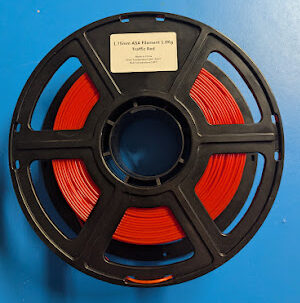
What Is ABS Filament?
What Is ABS Filament?
ABS is a petroleum-based thermoplastic used for durable, heat-tolerant 3D printed parts.
ABS is typically produced as a polymer blend (acrylonitrile + butadiene + styrene) and then compounded with additives and extruded into filament.^1
Quick filament rating: HARD.
Compared to PLA (the typical hobby baseline), ABS usually needs higher temperatures, a hotter bed, and a warmer print environment to avoid warping.
ABS: Pros & Benefits
ABS is popular because it makes parts that feel “real” and practical in everyday use, especially when you need something that can take bumps, handling, and moderate heat. Many people choose ABS for brackets, mounts, shop tools, and functional prototypes because it holds up better under real use than “display-only” plastics once you start tightening screws, snapping parts together, or leaving it in a warm environment.
It can also be very reliable once you control the environment. ABS likes consistent heat, so when you print it in a stable setup (heated bed, reduced drafts, and often an enclosure), it tends to produce strong layers and consistent results across long prints. Prusa specifically calls out ABS as suitable for mechanically stressed parts, but notes that it needs specific conditions to print well.^2
ABS has a nice post-processing story. You can sand it well, and it’s one of the common filaments that can be smoothed with acetone vapor to get a glossy finish (with the right safety steps). Prusa highlights acetone smoothing as a key advantage and a common reason people pick ABS.^2
For strength and heat performance, ABS is often chosen because it stays tougher at higher temperatures than many beginner filaments. On the materials side, UltiMaker lists an HDT (heat deflection temperature) for their ABS around the mid‑80°C range, which helps explain why ABS is a go-to for warm enclosures, car interiors (short-term), and functional parts near electronics.^3
On the eco/safety side, ABS doesn’t have many “green” wins compared to plant-based materials, but it does have a practical positive: it can be repaired and joined with acetone (and often solvent-cement style bonding), which can extend the useful life of prints instead of reprinting full parts.
ABS: Cons & Limitations
ABS’s biggest limitation is warping and cracking (often called splitting or delamination) as the print cools. This happens because ABS shrinks as it cools, and uneven cooling makes internal stress that can pull corners up or split layers. Prusa explicitly calls out significant warping as a main disadvantage and recommends a higher ambient temperature (often meaning an enclosure).^2
Fumes and odor are another major limitation. ABS can release styrene during printing, and Prusa notes “potentially dangerous fumes (styrene)” as a con and recommends printing in a well‑ventilated room.^2 This is one reason ABS can feel less friendly than PLA in a bedroom, classroom, or small office.
Compared to other filaments with similar “technical” performance, ABS can be less forgiving about drafts and room temperature changes. You may see problems that don’t show up as much in some other engineering plastics, like corners lifting on large flat parts even when the first layer looks perfect, or layer splitting halfway up taller parts if the room is cool.
ABS also has limitations outdoors. It does not like UV exposure long-term and can discolor and become more brittle over time in sunlight, which is why ABS is usually not the first pick for outdoor parts when appearance and long service life matter. Prusa notes that ABS used outdoors can turn yellowish and more brittle over time.^2
Best Uses for ABS
Durable functional parts for indoor use
ABS shines for functional, mechanically stressed parts like brackets, tool holders, jigs, mounts, and “shop parts” that get handled and bumped. It’s a strong choice when you want something that behaves more like a consumer product plastic.
It’s also a good prototyping filament when you want to test fit and function before making a part another way, because ABS prints can be sanded, drilled, tapped (carefully), and assembled with common hardware.
Warm-environment and moderate heat applications
ABS is often chosen for parts that might sit in warm air, near electronics, or around mild heat sources (not direct flame). The point is not that ABS is “high temperature,” but that it generally performs better than beginner filaments when things get warm.
If your printed part will be near a motor, power supply, or inside a warm enclosure, ABS is often a practical material to consider because it keeps its shape better than low-temp plastics in those conditions.
Cosmetic parts that will be painted or smoothed
ABS is a strong option for parts you plan to finish, especially if you want sanding and painting to go smoothly. ABS takes sanding well, and acetone vapor smoothing is a known technique for getting a glossy surface (with careful ventilation and safety).
This makes ABS useful for cosplay or prop parts when you want a clean painted finish, but still want decent toughness for handling and transport.
Print Settings for ABS
Setting
Recommended Range (typical)
Nozzle temperature
230–260°C
Bed temperature
90–110°C
Cooling fan
Off to low (0–25% typical; increase only if needed)
Print speed
30–70 mm/s (typical); slower for large parts
Layer height
0.12–0.30 mm
Walls (perimeters)
3–5 perimeters for most functional parts
Density (filament)
~1.03–1.07 g/cm³ (brand-dependent)
These ranges reflect common manufacturer guidance for ABS. For example, Polymaker lists ABS nozzle temps in the mid‑200s °C and recommends the cooling fan off for ABS.^4 Overture also recommends high nozzle temps with cooling fan off.^5 Flashforge’s ABS guidance also shows ABS commonly run with a hot bed (around 100–110°C) and limited cooling.^6
In practice, ABS succeeds when you prioritize temperature stability: keep the bed hot, avoid strong part cooling, and reduce drafts. If you need better overhangs, add only a little cooling (or slow down) instead of blasting the fan, because too much cooling increases warping and layer splitting for ABS.
Printer Requirements and Hardware Tips
ABS benefits a lot from an enclosure because it reduces drafts and keeps the air around the print warmer and more stable, which helps prevent warping and layer splitting. Prusa says ABS should be printed inside an enclosure with a higher ambient temperature and warns that drafts can negatively impact results.^2
A standard brass nozzle is usually fine for ABS because ABS is not a fiber-filled abrasive material. The bigger hardware requirement is temperature capability: your hotend must be able to hold typical ABS temperatures reliably (often around 240–260°C depending on brand and profile), and your bed should be able to reach roughly 100°C for many ABS prints. Prusa’s ABS guidance lists 255°C nozzle and 100°C bed as their baseline recommendation.^2
Handling, Storage, and Drying
ABS is less moisture-sensitive than nylon, but it can still absorb enough water over time to print poorly, especially in humid environments. When ABS is wet, you may notice popping, sizzling, rough surfaces, and inconsistent extrusion.
Some manufacturers provide specific drying guidance for ABS. For example, Polymaker lists a drying setting of 70°C for 6 hours for their ABS.^4 Flashforge also provides a pre-print drying condition for ABS of 80°C for 5 hours.^6
Common Print Problems with ABS and Fixes
ABS is harder to print than PLA mainly because it shrinks and warps as it cools, so your setup has to control cooling and drafts. Prusa lists significant warping as a key ABS drawback and emphasizes higher ambient temperature for best results.^2
One of the most common issues is corner lifting and warping on larger flat parts. Fixes that usually help are: raise bed temperature within the safe range for your build surface, increase first-layer contact area (brim), and reduce part cooling so the print cools more evenly.
Another common issue is layer splitting (cracks along layer lines), especially on taller parts. The most effective fixes are: increase enclosure/chamber warmth, raise nozzle temperature slightly to improve layer bonding, and avoid aggressive fan cooling. Polymaker’s ABS printing tips emphasize enclosure need and cooling off, which aligns with these fixes.^4
ABS can also show “rough” surfaces or inconsistent extrusion when the filament has absorbed moisture. In that case, drying per the filament maker’s guidance often restores smoother extrusion (and also reduces stringy, bubbly walls).^6
Safety and Smell
Note: We recommend using an air quality monitor in your printing area and using proper ventilation at all times.
ABS often has a noticeable odor while printing, and it can emit styrene and other VOCs during extrusion. Peer-reviewed research measuring VOCs from desktop printers found styrene emissions associated with ABS (and HIPS) during printing.^7
Ventilation matters more with ABS than with many beginner filaments. A practical approach is to run ABS in an enclosure and vent the enclosure air outdoors (or use a well-designed filtration system) while also keeping the room itself ventilated in a way that does not create strong drafts across the print. Prusa recommends printing ABS in a well‑ventilated room but avoiding drafts around the print.^2
Food safety myths vs reality: even if ABS is a “safe plastic” in some consumer products, a 3D printed ABS part is not automatically food-safe. Layer lines can trap bacteria, and printer additives and post-processing chemicals can create additional risks. If you truly need food contact, use a purpose-made food-safe solution and validate the full process, not just the base polymer.
For skin contact and sanding: sanding ABS creates fine plastic dust, and acetone smoothing uses solvent vapors. Use a dust mask/respirator appropriate for particulates when sanding, and use strong ventilation plus proper solvent handling for acetone work. Prusa notes ABS fumes can pose health risks and calls out styrene as a concern.^2
Post‑Processing ABS Prints
ABS is one of the better filaments for sanding because it’s not overly brittle and it “feathers” well when you step through grits.
If you want a smoother look, ABS can also be smoothed with acetone vapor, which is a common ABS-specific finishing method (but it requires serious attention to ventilation and solvent safety). Prusa specifically highlights acetone smoothing for ABS.^2
For priming and painting, ABS generally takes primer well after light sanding and cleaning. It’s commonly used for painted props and functional parts where you want a more finished surface.
For gluing and fastening, ABS can be mechanically fastened with screws (pilot holes help), and it can also be solvent-welded / chemically bonded with acetone-based methods. Prusa points out the possibility of acetone smoothing and gluing as an ABS advantage.^2
Most Reliable Brands of ABS
Polymaker is a strong ABS pick because they publish clear ABS settings and call out enclosure and cooling requirements directly, which makes it easier to get repeatable results.^4
Overture is a good choice if you want straightforward, beginner-friendly settings and downloadable docs like SDS/TDS, plus a reasonable default speed range that matches how many people actually print ABS reliably.^5
Flashforge ABS is worth considering if you want broad compatibility and very explicit guidance (temps, fan range, layer thickness, humidity targets, and drying conditions) published directly by the manufacturer.^6
Is ABS Right For You?
ABS fits best for makers printing functional, indoor parts who can use a heated bed and ideally an enclosure. The main tradeoff is that you’re accepting more warping risk and stronger fumes/odor compared to easy filaments.
Try a small spool first and run a few benchmark prints (a box with sharp corners, a tall tower, and a strength test) before committing to large parts.
Link Index
- https://en.wikipedia.org/wiki/Acrylonitrile_butadiene_styrene
- https://help.prusa3d.com/article/abs_2058
- https://ultimaker.com/materials/abs/
- https://wiki.polymaker.com/polymaker-products/polymaker-filaments/prime-materials/abs-and-asa/polylite-tm-abs
- https://overture3d.com/products/overture-abs-filament-1-75mm
- https://www.flashforge.com/products/abs
- https://pubs.acs.org/doi/10.1021/acs.est.5b04983